PipeDrive Form Conversion Tracking Service

As a PipeDrive Conversion tracking Specialist, I implement precise tracking for Pipedrive webforms, schedulers, and chatbots or more. I ensure every lead submitted on your site is captured in GA4 and Google Ads & Meta Ads, fixing data gaps caused by iframes and ensuring accurate ROI measurement.

100 %

Ad revenue

10 %

Lower cost

4:1%

Average ROAS

2.7X%

ROI Growth

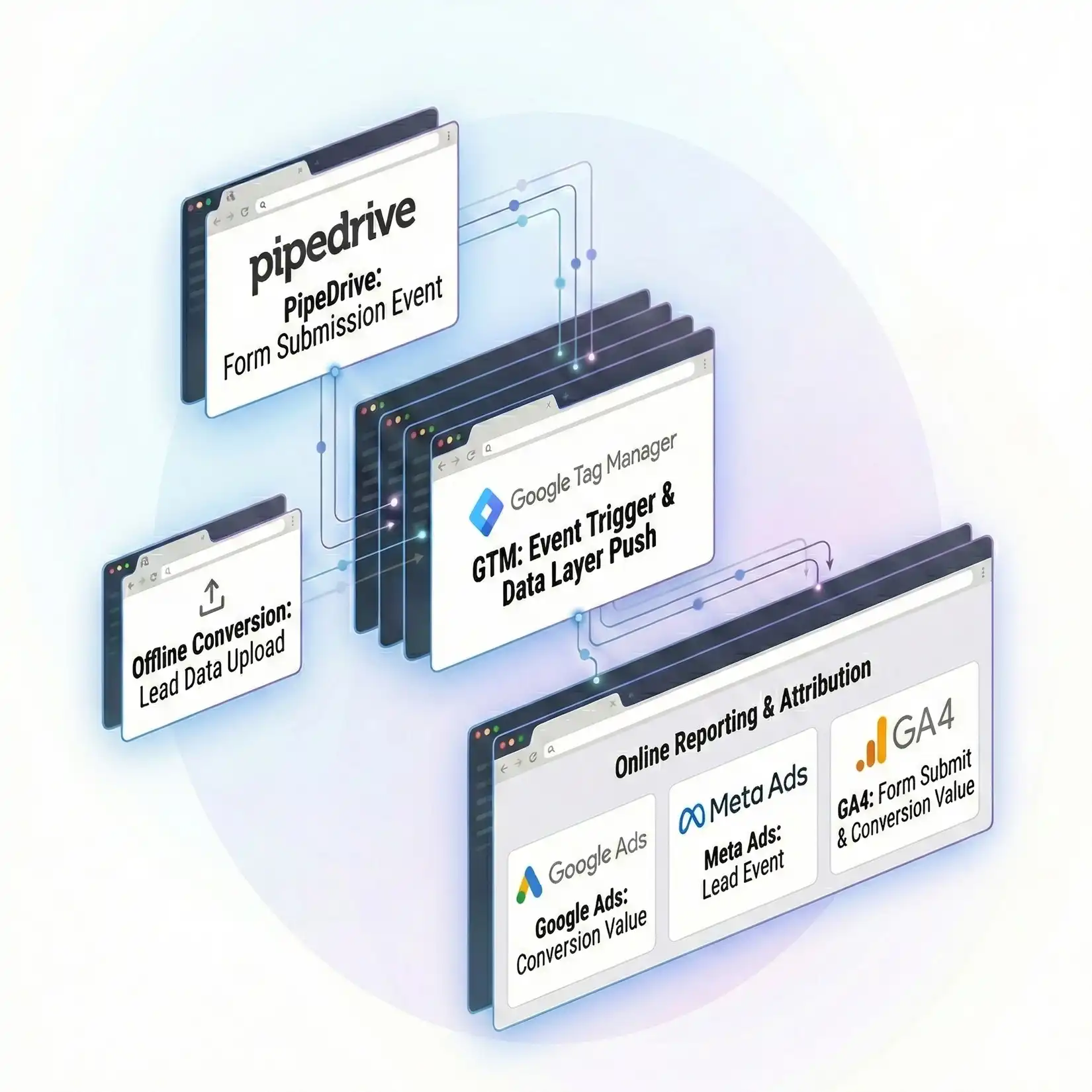
Pipedrive form submission tracked via GTM sending conversion data to Google Ads and GA4 reports

Is Your Pipedrive Form Tracking Actually Working?

 Standard pixels often fail with embedded Pipedrive forms due to iframe restrictions. As a Web analytics specialist, I use custom GTM listeners to capture every submission, ensuring 100% attribution accuracy for your marketing campaigns.

Handling All Types of Pipedrive Integrations

 I don’t just track simple forms. I handle schedulers, chatbots, and custom API setups using Custom Code by GTM to ensure no data is lost during the submission process.

Registration

I track PipeDrive registration forms to capture event signups, webinars, and gated content conversions mean goal with accurate attribution conversion.

Subscription

Subscription form tracking helps measure newsletter signups and engagement events while keeping analytics and CRM data aligned.

Scheduler

Track appointments as primary conversions. I listen for the specific “Time Slot Confirmed” signal to attribute high-value booked calls back to your campaigns.

Webform

I use custom JavaScript listeners to detect form submissions within iframes on WordPress or other sites, the conversion event correctly in analytics data loss.

Multi Forms

I track progress through long forms, helping you identify drop-off points. This granular data allows you to optimize the user experience for higher conversion rates.

Webhook Form

If you use a custom form that pushes data to Pipedrive via API, I configure GTM to capture the data layer event and pass source attribution parameters (GCLID) correctly.

Contact Form

Contact form tracking ensures PipeDrive captures inquiries accurately and shares conversion data with GA4 and ad platforms for optimization.

Chatbot

I track interactions with the Pipedrive LeadBooster chatbot. I measure when a user engages or submits their details, counting these as qualified leads in GA4.

Why Is Accurate Pipedrive Tracking Critical for Your Business

When Pipedrive forms load in iframes, standard tracking codes like the Facebook Pixel or Google Ads tag cannot “see” the submission. This causes “missing conversions,” making your ads look like they are failing when they are actually generating leads. As a Conversion tracking specialist, I solve this using advanced GTM listeners. Without this, you are optimizing blindly. Accurate tracking allows you to see exactly which keyword, ad, or campaign generated the lead, enabling “Value-Based Bidding.” I also sync “Won Deals” back to ads via Offline Conversion Tracking, ensuring you scale based on revenue, not just form fills.

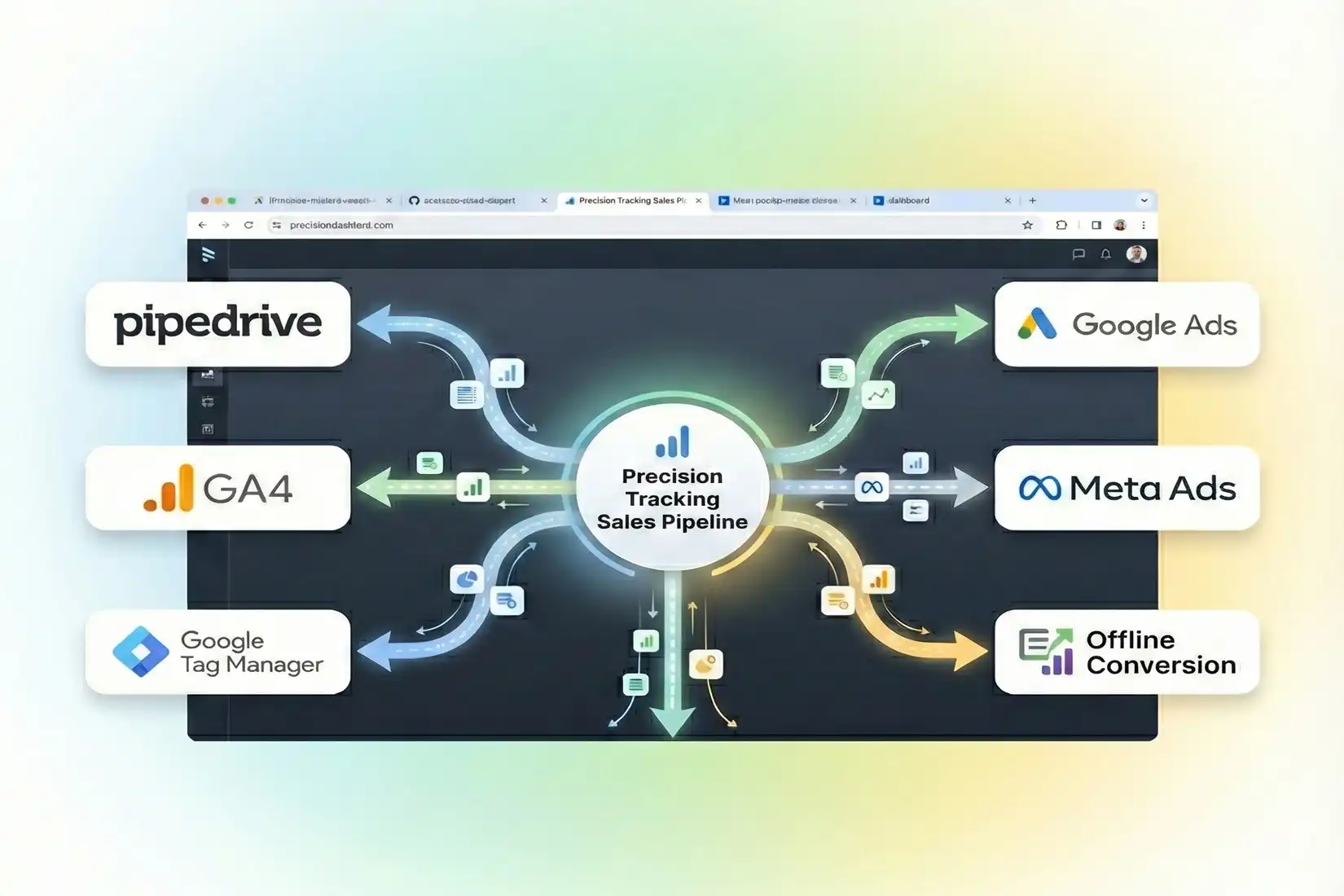
Pipedrive form submission tracked via GTM sending conversion data to Google Ads and GA4 reports

Integrating Pipedrive Data With Your Ad Platforms

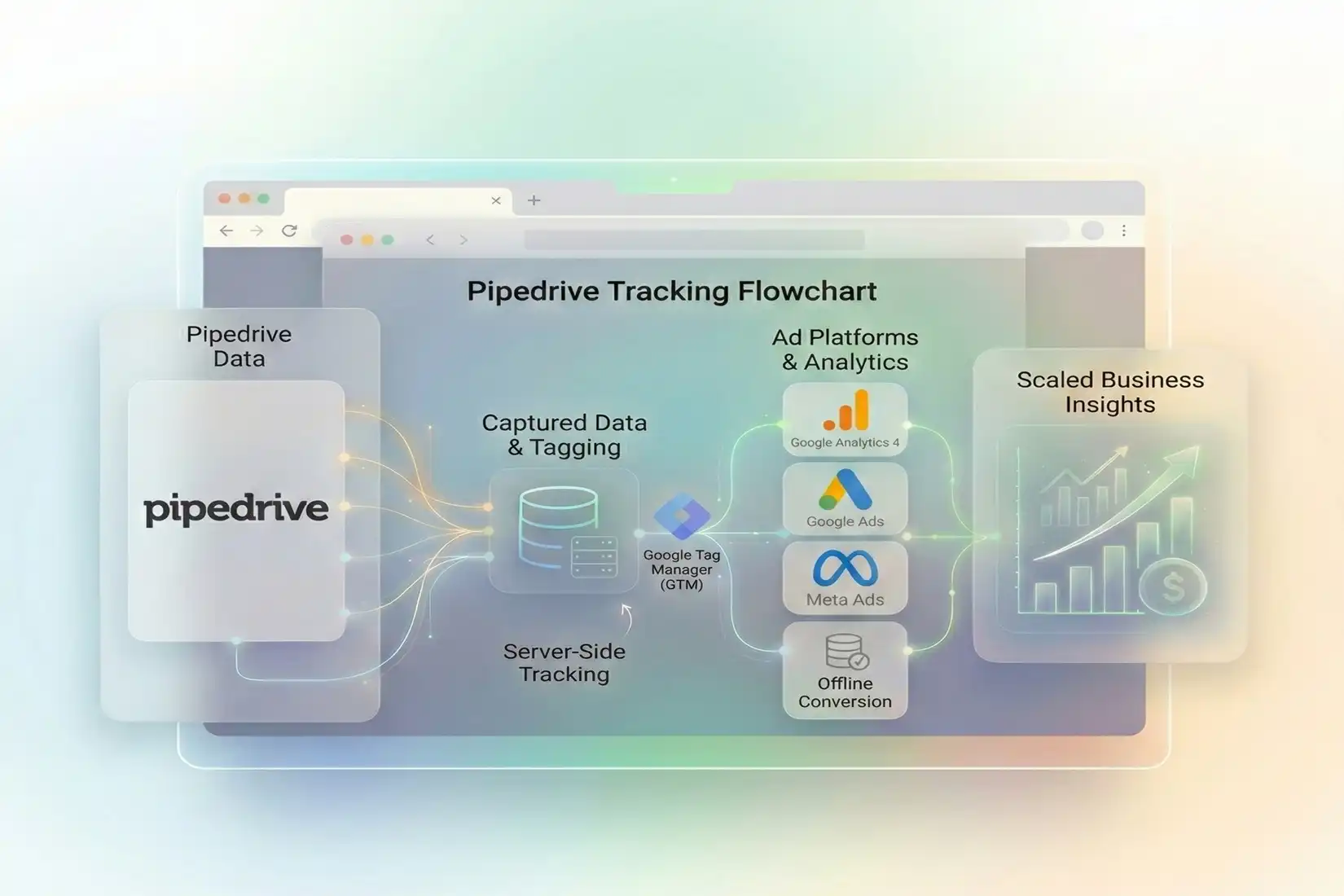
 I unify Pipedrive data with your stack. As a Web Analytics expert, I connect events to Google, Meta, and TikTok using server-side tech for resilience.

Google Analytics 4

I send custom parameters (like “Deal Value” or “Industry”) from your Pipedrive form to GA4, allowing you to segment audiences based on their inputs.

GAds Conversions

I set up Enhanced Conversions to match Pipedrive leads to ad clicks. This trains Google’s Smart Bidding to find more users who actually submit forms.

Offline Conversion

I sync “Qualified Lead” statuses from Pipedrive back to Google Ads. This optimizes your campaigns for quality, not just quantity, improving ROAS.

Google Tag Manager

I clean up your tracking by centralizing Pipedrive listeners in GTM. This prevents code conflicts and speeds up your landing pages for better UX.

Server-Side Tracking

I configure a server container to handle Pipedrive events. This creates a first-party data stream that is more resistant to browser privacy restrictions.

Meta Pixel & CAPI

I implement the Facebook Conversion API (CAPI). This sends lead data directly from the server, bypassing iOS blocking for better retargeting and attribution.

How Will Precision Tracking Scale Your Sales Pipeline

The main benefit is data confidence. You stop guessing which ads work. By implementing Server-Side Tracking, you bypass ad blockers and iOS restrictions. As a GTM specialist, I help you pass “Lead Quality” data to GA4. You can see the full journey from ad click to signed contract. This eliminates “Direct” traffic spikes in reports and ensures GDPR compliance via Google Consent Mode. Ultimately, accurate tracking lowers your CPA and helps you allocate budget to high-intent channels that drive real Pipedrive deals.

Pipedrive form submission tracked via GTM sending conversion data to Google Ads and GA4 reports

AUDIT

Is Your CRM Tracking Broken? Get a Free Audit

Unsure if your numbers are real? As a Conversion tracking specialist, I will review your Pipedrive setup. I check for iframe issues and missing events to give you peace of mind.

FREE audit available
don’t miss out!

Loved by 500+ Businesses worldwid

Claim your audit (it's free)

Client Reviews & Feedback

Read verified client reviews highlighting successful Google Ads, Meta CAPI, GTM, GA4, and server-side tracking implementations that improved ROI and conversion tracking accuracy.

G ADS
Conversion Tracking
Reporting

Yes, this is a common issue I solve. Pipedrive forms use iframes, which block standard tracking tags. I utilize a custom JavaScript “message listener” within Google Tag Manager. This script “listens” for the specific success signal sent by the Pipedrive iframe upon submission and triggers a conversion tag in Google Ads and GA4, ensuring no data is lost.

Absolutely. Pipedrive’s LeadBooster chatbot and live chat are powerful tools for capturing leads. I can configure tracking to fire specific events when a user interacts with the bot, reaches a certain step in the conversation, or successfully submits their contact details. This allows you to measure the ROI of your automated chat tools effectively.

Yes, tracking the Pipedrive Scheduler is essential. I track “Appointment Confirmed” events separately from general lead forms. This distinction is crucial because a booked meeting usually indicates higher intent than a simple brochure download. I send this data to your ad platforms so you can optimize specifically for users who are ready to talk to sales.

GCLID (Google Click ID) is vital for connecting online clicks to offline sales. I configure your Pipedrive forms to capture this ID in a hidden field. When a lead eventually closes a deal weeks later, we use this ID to send the conversion value back to Google Ads. This tells Google exactly which ad brought in the revenue.

 I highly recommend it. Browser-based tracking is becoming less reliable due to ad blockers and privacy updates like iOS 14.5+. Server-side tracking moves the data processing to a cloud server, ensuring that nearly 100% of your Pipedrive form submissions are recorded and sent to Facebook (CAPI) and Google Ads, regardless of the user’s browser settings.

Yes. High volumes of “Unassigned” or “Direct” traffic in GA4 often result from cross-domain tracking errors or broken sessions when a user interacts with an iframe. By implementing proper Referral Exclusion lists and ensuring session continuity via GTM, I can restore the original source attribution, proving that your traffic came from paid ads or organic search.

Yes, I build compliance into the tracking setup. using Google Consent Mode v2, I ensure tags only fire based on user consent. For offline imports and server-side tracking, I hash sensitive customer data (like emails and phone numbers) using SHA-256 encryption before it is sent to any advertising platform, keeping you compliant with data privacy laws.

 For a comprehensive Pipedrive tracking setup—including GTM configuration, iframe listeners, GA4 events, and Google Ads integration—it typically takes about 3 to 5 business days. This timeframe allows for a thorough audit of your current setup, implementation of the new tracking code, and a rigorous testing phase to ensure data accuracy.

No, I handle the technical aspect. As a Web Analytics specialist, I write the custom scripts and configure the tags myself. You generally just need to provide access to your accounts (GTM, Pipedrive, Google Ads). I act as your technical partner, meaning you don’t need to hire an expensive developer to fix your marketing tracking.

Yes, this is the “Offline Conversion Tracking” component. I can set up automations (using tools like Zapier or Make) that trigger when you move a deal to “Won” in Pipedrive. This automation sends the conversion value and GCLID back to Google Ads immediately, closing the feedback loop and allowing for true ROAS calculation.

Frequently Asked Questions About Pipedrive Tracking